Beautiful PDFs from your data.
No pipeline. Code optional.
Design a template visually or in HTML, then generate invoices, quotes and certificates from your app, your no-code tools or your AI assistant. No rendering server to babysit.
No credit card required
The PDF pipeline nobody wants to own.
Every product ends up needing invoices, quotes or certificates. And every team ends up maintaining a fragile rendering stack for a feature that was supposed to take a day.
Rendering breaks in production.
Tables split across pages, fonts go missing, a Chrome process eats the memory at month end.
Every change waits for a developer.
A new logo, a new field on the invoice: your team files a ticket and waits for the next sprint.
An invoice shouldn't cost a sprint.
Turning data into a clean document is a solved problem. You shouldn't have to solve it again.
A homemade Puppeteer script that renders invoice.pdf, then fails with: Error: Protocol error (Page.printToPDF): Target closed. warn: font "Inter" not found, falling back to Times FATAL ERROR: JavaScript heap out of memory
Illustration: a typical homemade Puppeteer setup.
We've fought the page breaks, so you don't have to.
See how it worksYour first PDF in three steps.
Design your template
Build it visually with drag and drop, or code it in HTML/CSS with Twig. Or start from a ready-made template.
Send your JSON
One REST call from your app, a Zapier or Make step, or a request from your AI assistant.
Get your PDF
As binary, base64 or a hosted link. On-brand, pixel for pixel, every time.
Two editors. Pick the one that fits your team.
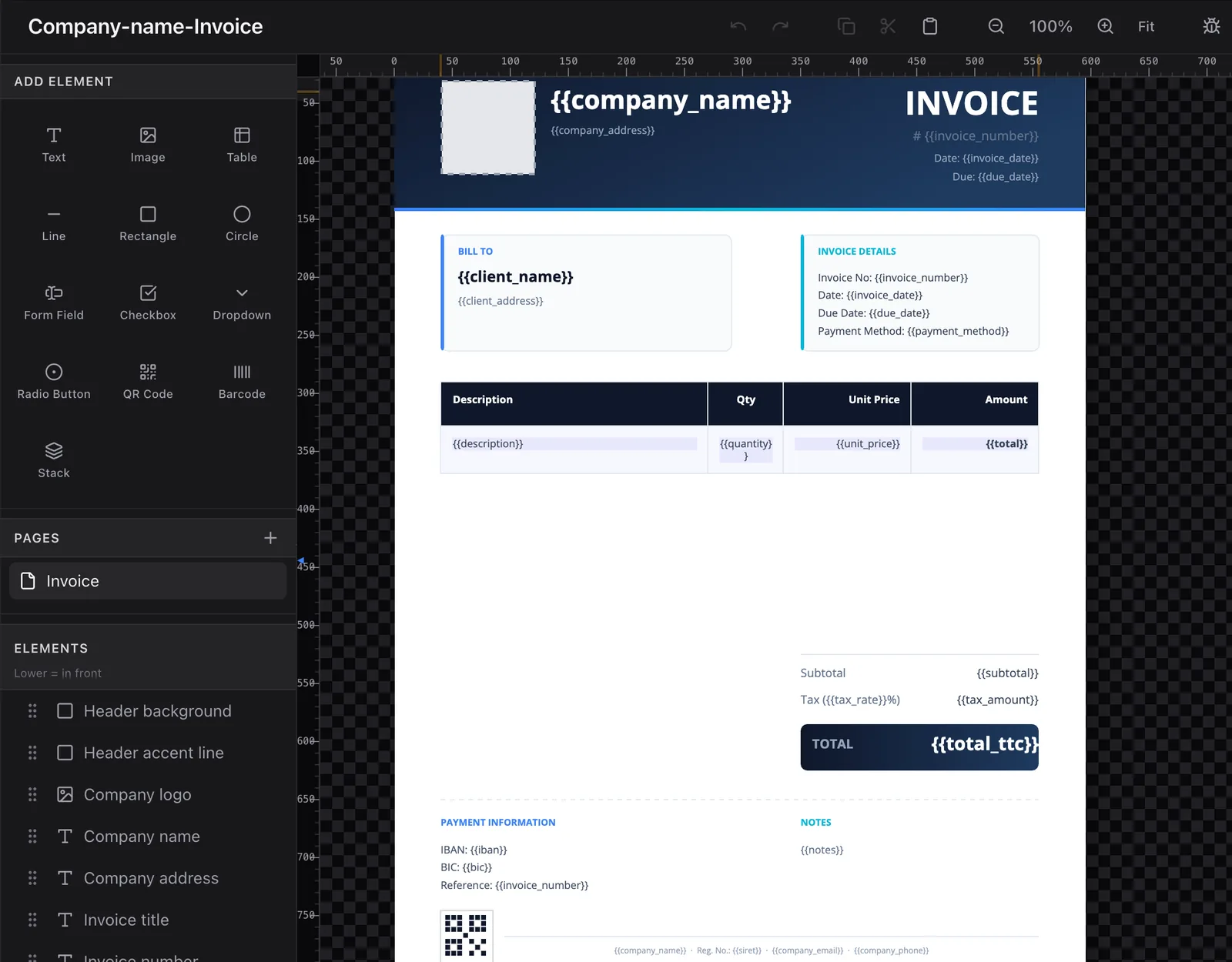
- Place text, tables, images and QR codes on the page
- Link each field to your data
- See the result live, export a PDF any time
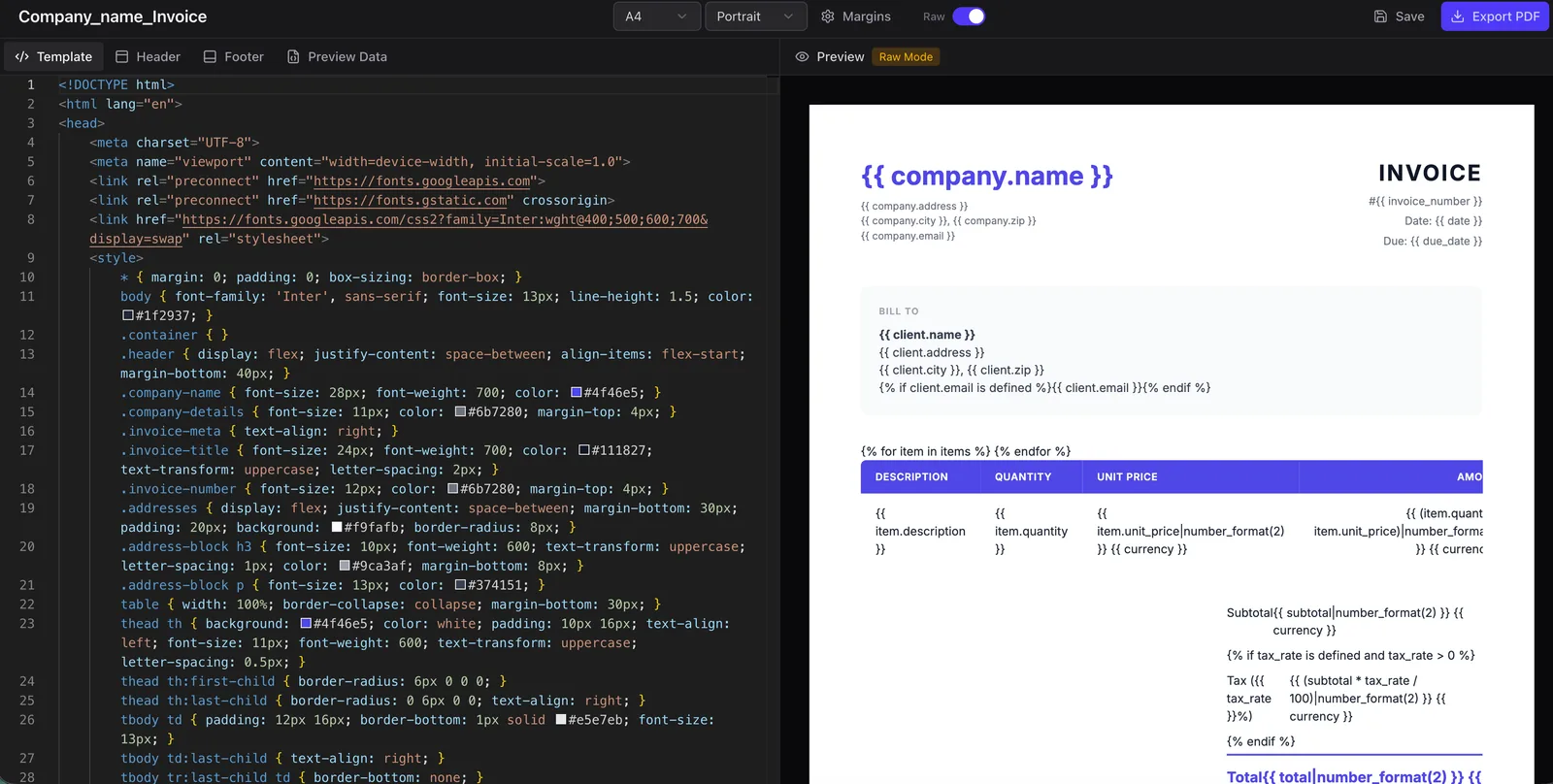
- HTML and CSS, with Twig for loops and conditions
- A header and footer repeated on every page
- Live preview as you type, fed by sample data
Both come with every plan, including the free one, and generate PDFs through the same API.
Send your JSON.
Get your PDF.
One REST call with your data. A hosted link, base64 or binary PDF in return.
{
"output": "binary",
"data": {
"invoice_no": "INV-2025-001",
"client": {
"name": "StartUp Inc.",
"email": "billing@startup.io"
},
"items":[
{ "desc": "API Plan Pro", "price": 49.00 },
{ "desc": "Setup Fee", "price": 15.00 }
],
"total": 64.00
}
}
| Description | Price |
|---|---|
| API Plan Pro | $49.00 |
| Setup Fee | $15.00 |
100 PDFs a month · No credit card required
Code, no-code or AI. Same engine.
Write code, drop a no-code block, or ask your AI assistant. All three hit the same rendering engine.
REST API
Send JSON, get a PDF. Works with Node.js, Python, PHP, Ruby and any language that speaks HTTP.
-H "Authorization: Bearer key_..." \
-d '{
"output": "binary",
"data": {
"invoice_no": "INV-001",
"total": 64.00
}
}'
# -> Returns binary PDF stream
No-Code (Zapier, Make, n8n…)
Zapier, Make, n8n or Bubble, through their built-in HTTP module. A step-by-step guide for each.
AI agents (MCP)
Point Claude, Claude Code or Cursor at our MCP server. Your assistant fills a template and hands back the PDF.
{
"mcpServers": {
"pdfstork": {
"type": "http",
"url": "https://pdfstork.com/mcp/pdf"
}
}
}
Don't start from scratch.
Start from perfect.
39 production-ready templates: invoices, contracts, certificates, forms. Open one in the editor, swap in your data, ship it. No account required.
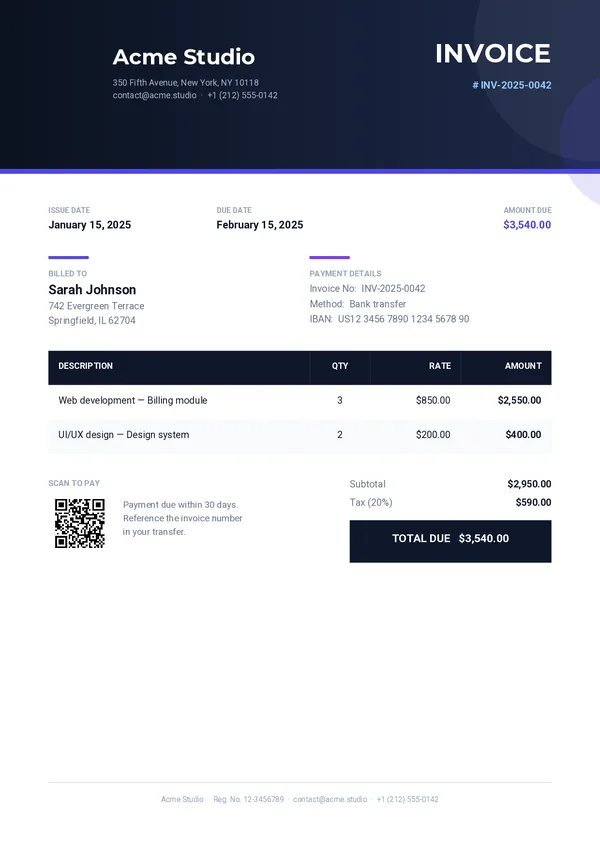
Invoice
Modern invoice with gradient header, accent info columns, styled line-items table, highlighted total and QR payment code.
Try it in the editor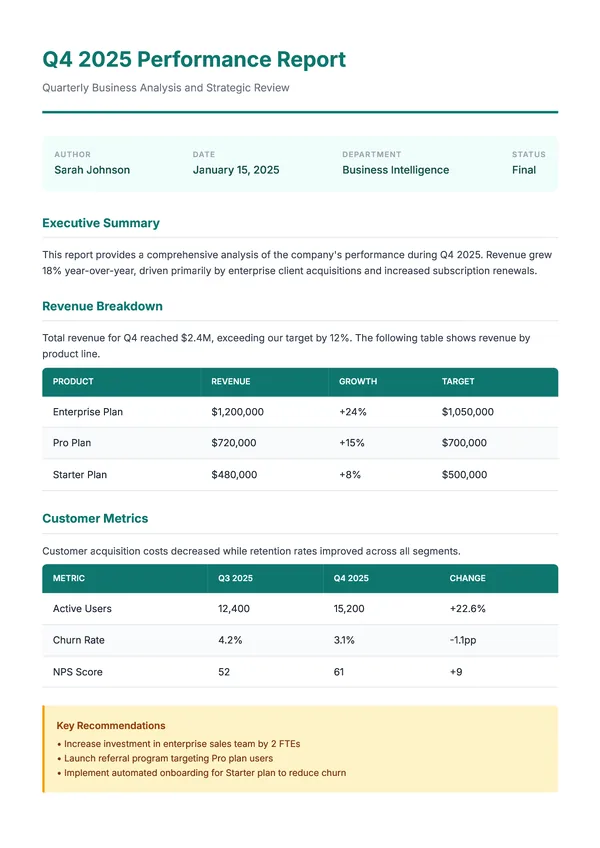
Report
Business report with structured sections, styled data tables, and conditional content blocks.
Try it in the editor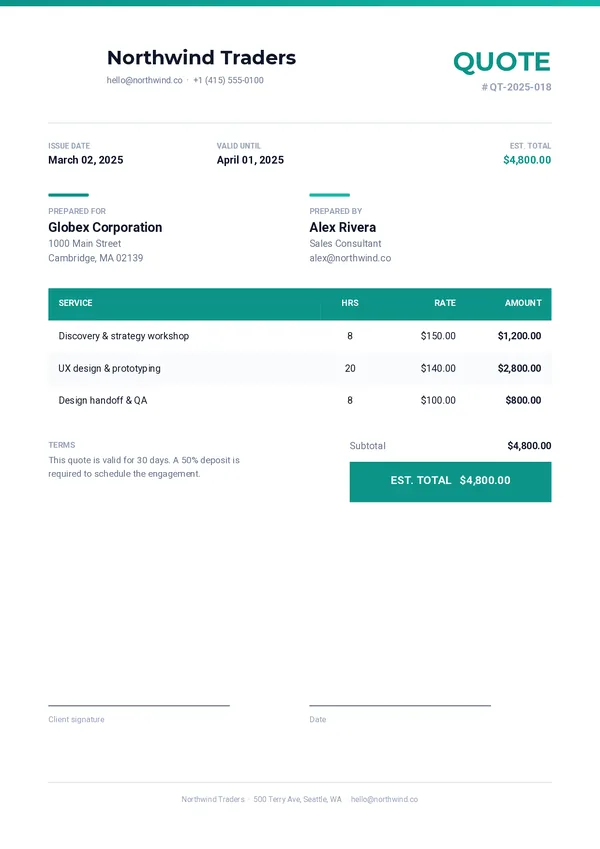
Quote
Clean quote with teal accent bar, prepared-for/by columns, services table and dual signature lines.
Try it in the editor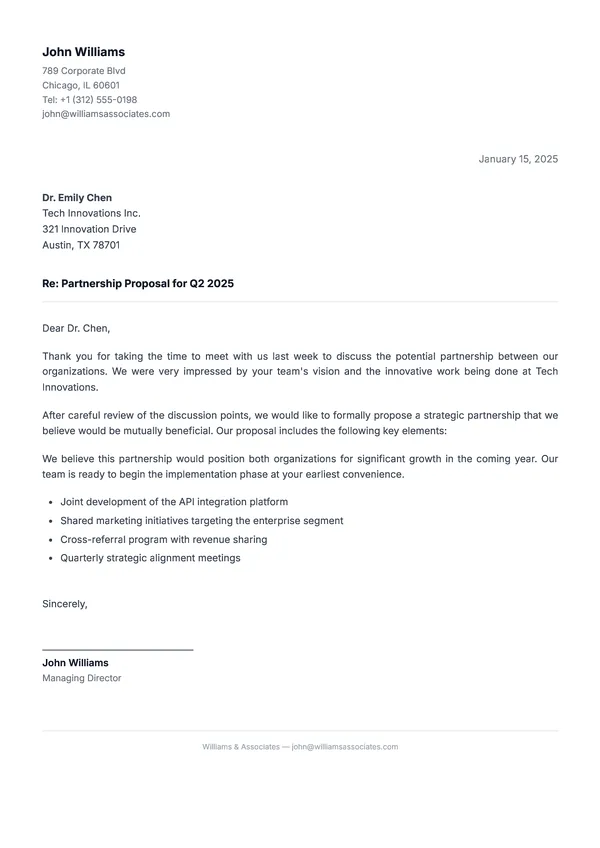
Letter
Formal business letter with sender and recipient address blocks, date formatting, and signature area.
Try it in the editor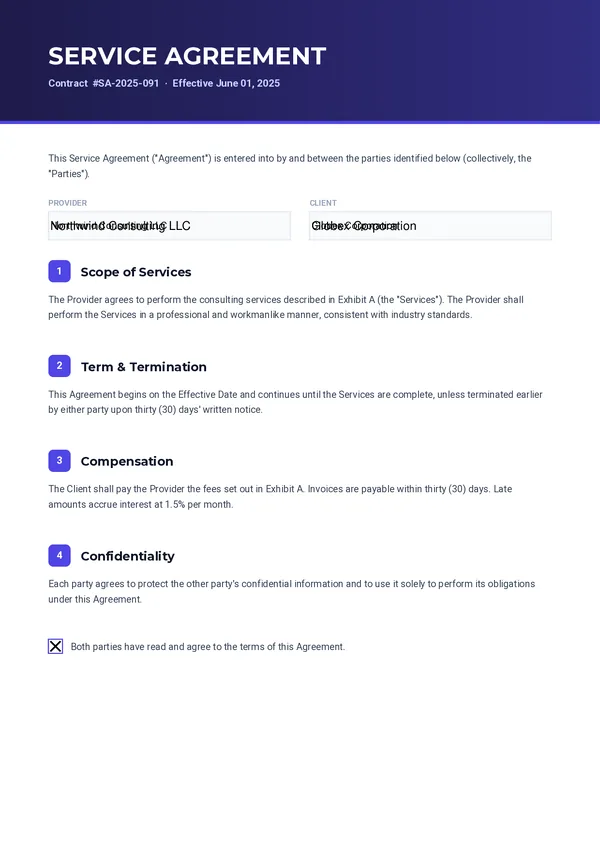
Contract
Two-page service agreement with numbered sections, fillable party fields, consent checkbox and signature blocks.
Try it in the editor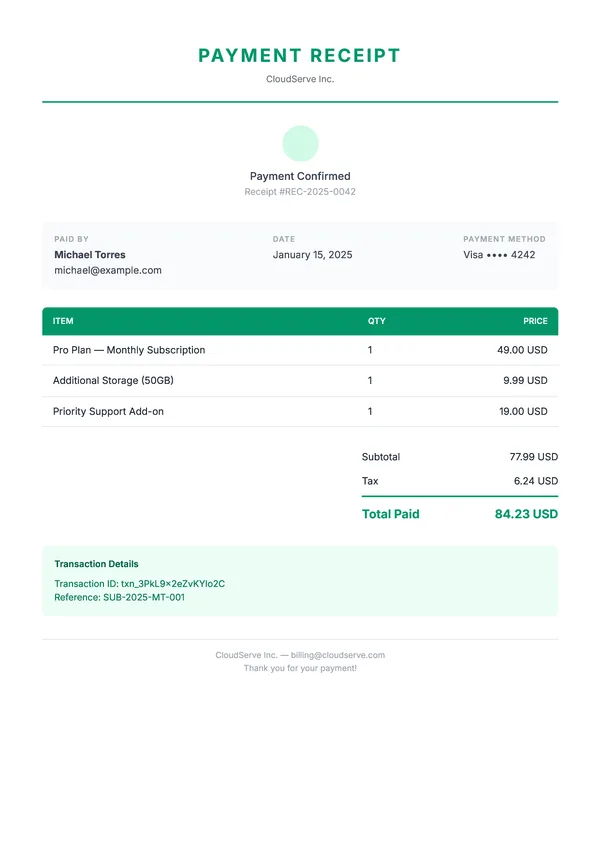
Receipt
Payment receipt with itemized list, tax calculation, payment method display, and confirmation number.
Try it in the editor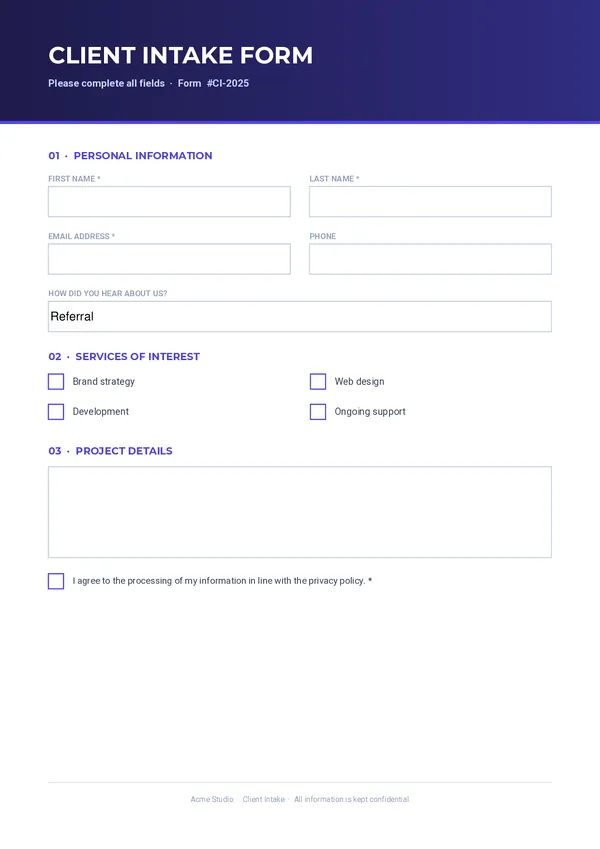
Form
Complete intake form with text fields, dropdown, checkbox groups, multiline area and consent.
Try it in the editor
Certificate
Elegant certificate with decorative border, centered layout, and dynamic recipient and date fields.
Try it in the editorEach template opens in its own editor, no account needed. Those marked Basic plan use QR codes, barcodes or forms: free to design, generated from Basic.
Your documents, handled right.
No black box, no lock-in, no surprise bills. Here's what you can count on.
Your data stays yours.
We never sell or share your data, and we keep as little of it as we can.
Generated PDFs are only kept while a download link needs them, 24 hours at most. Your last 10 generations stay listed for troubleshooting, and the data you sent is erased after 7 days.
Nothing to install.
No server to run, no software to update. Your team designs the documents, pdfstork produces them.
No surprise bills.
Past your monthly quota, you top up with packs that never expire. We warn you before every limit. Never a silent charge.
Simple pricing. No surprises.
Start free. Pay for value, not surprises. +1,000 welcome bonus PDFs with every paid plan.
Discovery
To try it out.
- 100 PDFs / month
- 1 template
- 1 user
- REST API + MCP server
- Drag-and-drop & HTML editors
Basic
For freelancers.
- 5,000 PDFs / month
- 10 templates
- QR codes & barcodes
- Interactive forms
- Custom PDF metadata (your own branding)
Pro
Most popularFor teams that ship documents at scale.
- 15,000 PDFs / month
- Unlimited templates
- Team access
- Template versioning
- Webhooks
- Import your own PDF
- Merge your PDFs
Included in every plan:
Need more? Extra packs at $5 / 1,000 PDFs kick in only past your quota, and your credits never expire. · Bigger volume? Contact us.
Questions, answered.
Do I need to write code?
No. Design your template in the drag-and-drop editor, then generate PDFs from Zapier, Make, n8n or Bubble with their HTTP module: each has a step-by-step guide. Developers can use the HTML/CSS editor, the REST API or the MCP server instead.
Do I need a credit card?
Not for the free plan: 100 PDFs a month, no card, no time limit. The 14-day trial of Basic or Pro asks for a card; the first charge happens when the trial ends.
What happens if I go over my monthly quota?
Generation doesn't stop straight away. Paid plans get a one-time welcome pack of 1,000 PDFs, then prepaid packs take over: 1,000 PDFs for $5, used only past your quota and never expiring. You're emailed at 80% and 95% of your quota. When both are used up, the API answers 402 until you buy a pack or the month resets.
Can I change plan or cancel?
Yes, from Settings → Billing. Switch between Basic and Pro, monthly or annual, with proration, or cancel: you keep your plan until the end of the period you paid for, and can change your mind until then.
Where is my data, and what do you keep?
Your templates, renders and files stay in the European Union (France and Germany). PDFs returned as base64 or binary are never stored; hosted links expire after 24 hours at most. Only your last 10 generations are logged, and the data you sent is erased after 7 days.
Is there a rate limit?
60 requests per minute per team, shared by all its tokens. Every response carries X-RateLimit headers, and a 429 tells you how long to wait.
More answers in the documentation FAQ.
Build it yourself, or ship today.
- A sprint spent on page breaks and fonts
- A Chrome server to patch, scale and monitor
- A broken invoice in a client's inbox
- Overage bills you didn't see coming
- Your first PDF in minutes
- No infrastructure on your side
- Documents that respect your brand, pixel for pixel
- Prepaid packs, credits that never expire

Ship your first PDF today, and get back to your product.
Start free with 100 PDFs a month. No credit card, no server, no surprise bill.