Credit note PDF template
A clear credit note linked to the original invoice. Adjust it in the drag-and-drop editor, then generate one PDF per refund from your app, your no-code tools or your AI assistant.
Basic planNeeded for the QR code. Remove it to generate on the free plan.
What's inside
A refund, properly documented.
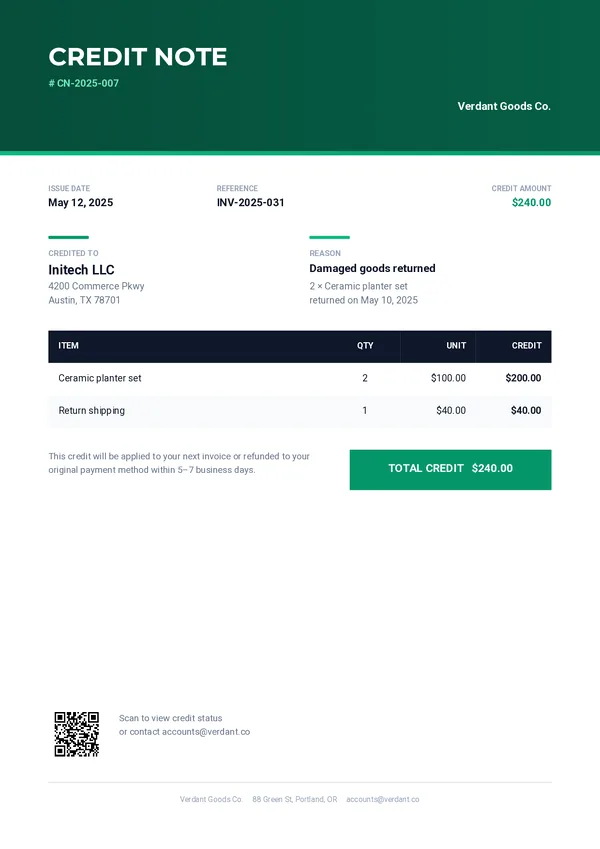
Header and reference
The credit note number, the issue date and the invoice it refers to.
Credited to
The client’s name and address, with the amount credited.
Reason
A short reason and a detail line explaining the credit.
Items table
One row per credited item in your data, and a highlighted total.
QR status code
A code that opens the status of the credit online.
Generate itSend the refund.
Send the refund.
Get the credit note.
One REST call per credit note. Every field below can come from your billing system or your shop.
company_namecompany_addresscompany_emailcompany_logocredit_note_numberissue_datereference_invoicecredit_amountclient_nameclient_addressreasonreason_detailcredit_status_urlcredit_noteitemscurl -X POST https://pdfstork.com/api/v1/templates/YOUR_TEMPLATE_ID/generate \
-H "Authorization: Bearer YOUR_TOKEN" \
-H "Content-Type: application/json" \
-d '{
"data": {
"credit_note_number": "CN-2025-007",
"reference_invoice": "INV-2025-031",
"credit_amount": "$240.00",
"client_name": "Initech LLC",
"reason": "Damaged goods returned",
"items": [
{
"description": "Ceramic planter set",
"quantity": "2",
"unit_price": "$100.00",
"credit": "$200.00"
}
]
},
"output": "url"
}'Your way in