Weekly timesheet PDF template
A weekly timesheet ready to sign and approve. Adapt it in the drag-and-drop editor, then generate one PDF per employee from your app, your no-code tools or your AI assistant.
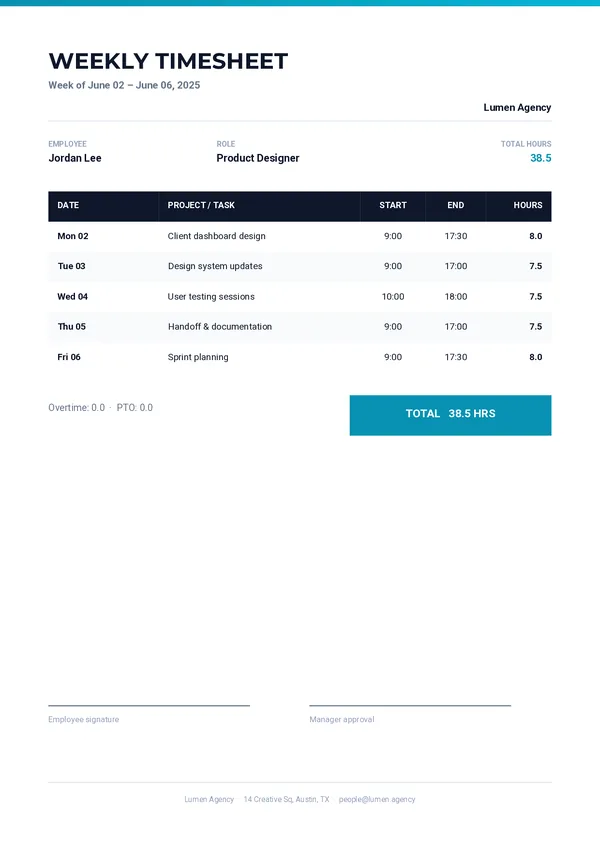
What's inside
A week of work, ready to approve.
Employee details
The name and role of the employee, with the week covered.
Day-by-day table
One row per entry in your data, with date, task, start, end and hours.
Total badge
The total hours of the week, easy to spot.
Overtime and time off
Overtime and PTO hours, on their own line.
Signatures
Space for the employee’s signature and the manager’s approval.
Generate itSend the hours.
Send the hours.
Get the timesheet.
One REST call per timesheet. Every field below can come from your time-tracking tool or your HR system.
company_namecompany_addresscompany_emailcompany_logoweek_rangeemployee_nameemployee_roletotal_hoursovertime_hourspto_hoursentriescurl -X POST https://pdfstork.com/api/v1/templates/YOUR_TEMPLATE_ID/generate \
-H "Authorization: Bearer YOUR_TOKEN" \
-H "Content-Type: application/json" \
-d '{
"data": {
"company_name": "Lumen Agency",
"employee_name": "Jordan Lee",
"week_range": "June 02 – June 06, 2025",
"total_hours": "38.5",
"entries": [
{
"date": "Mon 02",
"task": "Client dashboard design",
"start": "9:00",
"end": "17:30",
"hours": "8.0"
}
]
},
"output": "url"
}'Your way in