Product label PDF template
A shelf-ready label with everything printed from your catalogue. Restyle it in the drag-and-drop editor, then generate one PDF per product from your app, your no-code tools or your AI assistant.
Basic planNeeded for the QR code and the barcode.
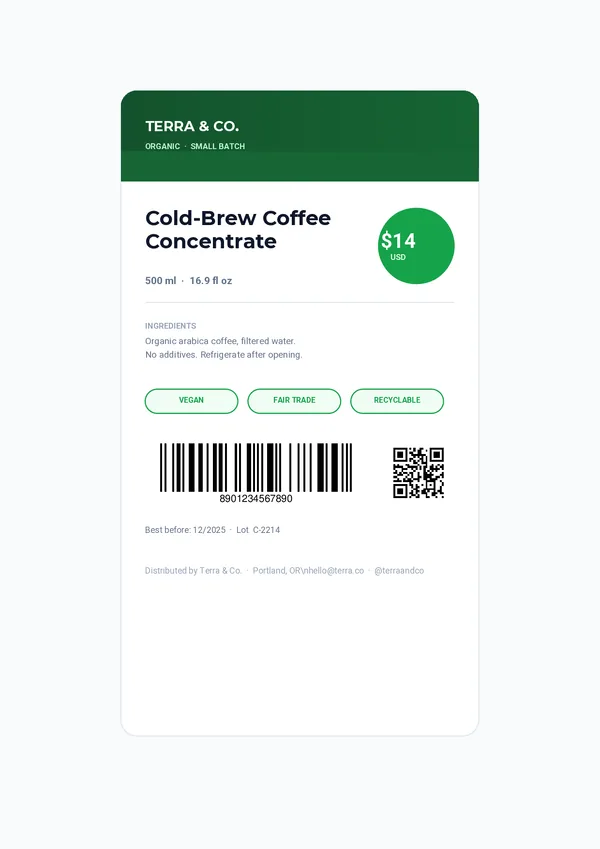
What's inside
Your catalogue, ready to print.
Brand and product
Your brand, a tagline, the product name and the net contents.
Price badge
The price and currency, in a badge that catches the eye.
Ingredients and pills
The ingredients list and certification pills such as vegan or fair trade.
EAN barcode
An EAN-13 barcode generated from the GTIN of the product.
QR code and batch
A code that opens the product page, with the best-before date and lot number.
Generate itSend the product.
Send the product.
Get the label.
One REST call per label. Every field below can come from your PIM, your ERP or your online shop.
brandbrand_legalbrand_citybrand_emailbrand_socialbrand_taglineproduct_namenet_contentspricecurrencyingredientsgtinproduct_urlbest_beforelotcurl -X POST https://pdfstork.com/api/v1/templates/YOUR_TEMPLATE_ID/generate \
-H "Authorization: Bearer YOUR_TOKEN" \
-H "Content-Type: application/json" \
-d '{
"data": {
"brand": "TERRA & CO.",
"product_name": "Cold-Brew Coffee\nConcentrate",
"net_contents": "500 ml · 16.9 fl oz",
"price": "$14",
"gtin": "8901234567890",
"product_url": "https://terra.co/coldbrew"
},
"output": "url"
}'Your way in
Generate product labels with or without code.
Related